Overview
NayaPrayog CRM brings the sales side (leads), the delivery side (projects, milestones, tickets, time logs, stand-ups) and the money side (invoices, part-payments, overdue alerts) into one web app, with a client portal on top. It is sold as SaaS: every subscribing company gets its own private workspace.
Product context
Naya Prayog runs its own client projects in the platform workspace and manages all subscriber workspaces from there.
Problem
Agencies usually juggle a spreadsheet for leads, a task tool for delivery, an invoicing tool for money and email threads with clients. Nobody sees the whole picture, and clients have no single place to follow progress or approve work.
Objectives
- One workspace for leads, delivery, money and client communication
- Strict separation between subscriber companies and between clients
- Role-aware access, so not everyone sees project money
- Self-serve SaaS: free trial, plans, online subscription billing
My role
Sole engineer: architecture, API, web app, billing, security and deployment.
Engineering approach
Server-enforced permissions drive everything. Each user has exactly one workspace role plus per-project roles, and the API decides field by field what a person may see. For example, project value and invoices are visible only to admins, the project's manager, its Product Owner or Project Manager, and that project's client.
Technical architecture
- React web app (code-split)
- Team workspace
- Client portal
- Node.js / Express 5
- Cookie session + CSRF header
- Workspace-pinned queries
- PostgreSQL
- Auto-applied migrations
- Append-only audit & billing history
- Razorpay subscriptions & invoice payments
- Private file storage
- SMTP notifications
- Linux VPS
- Apache /crm proxy + HSTS
- PM2, graceful restarts
- Health check
Frontend
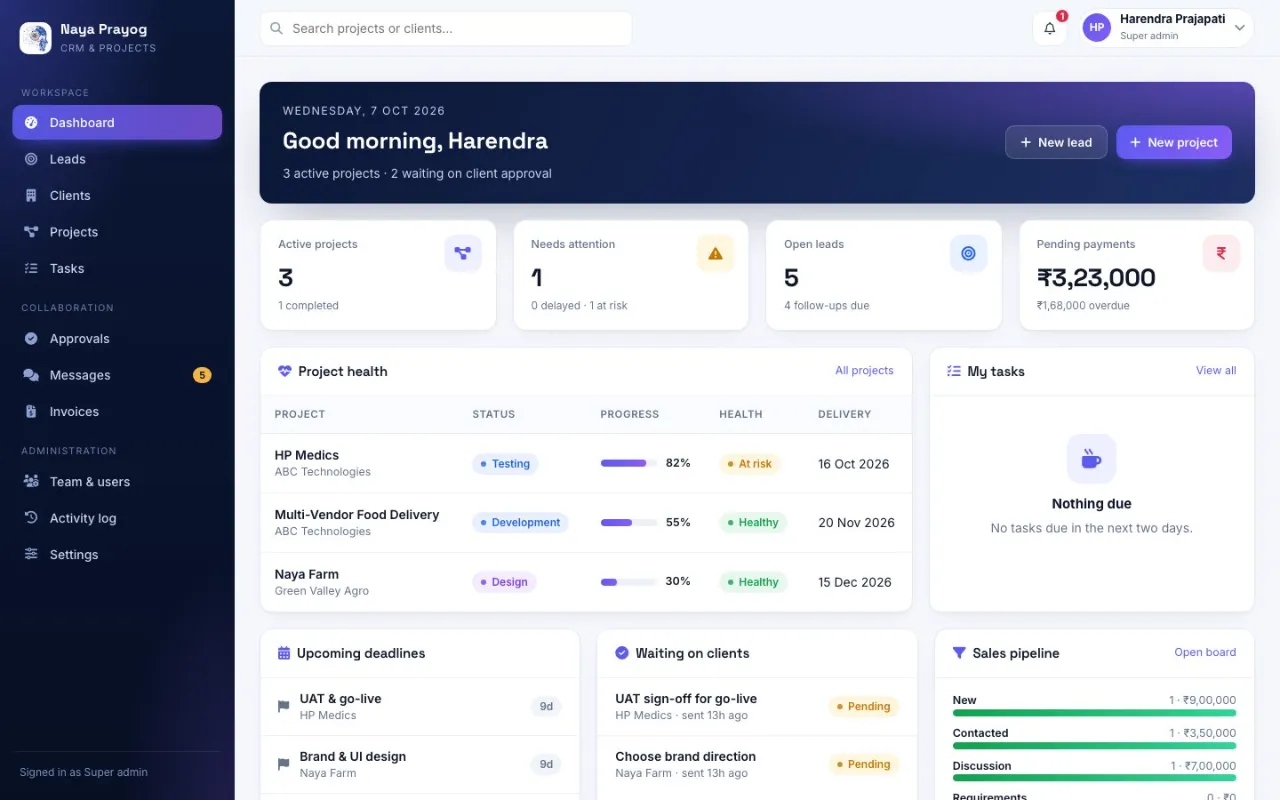
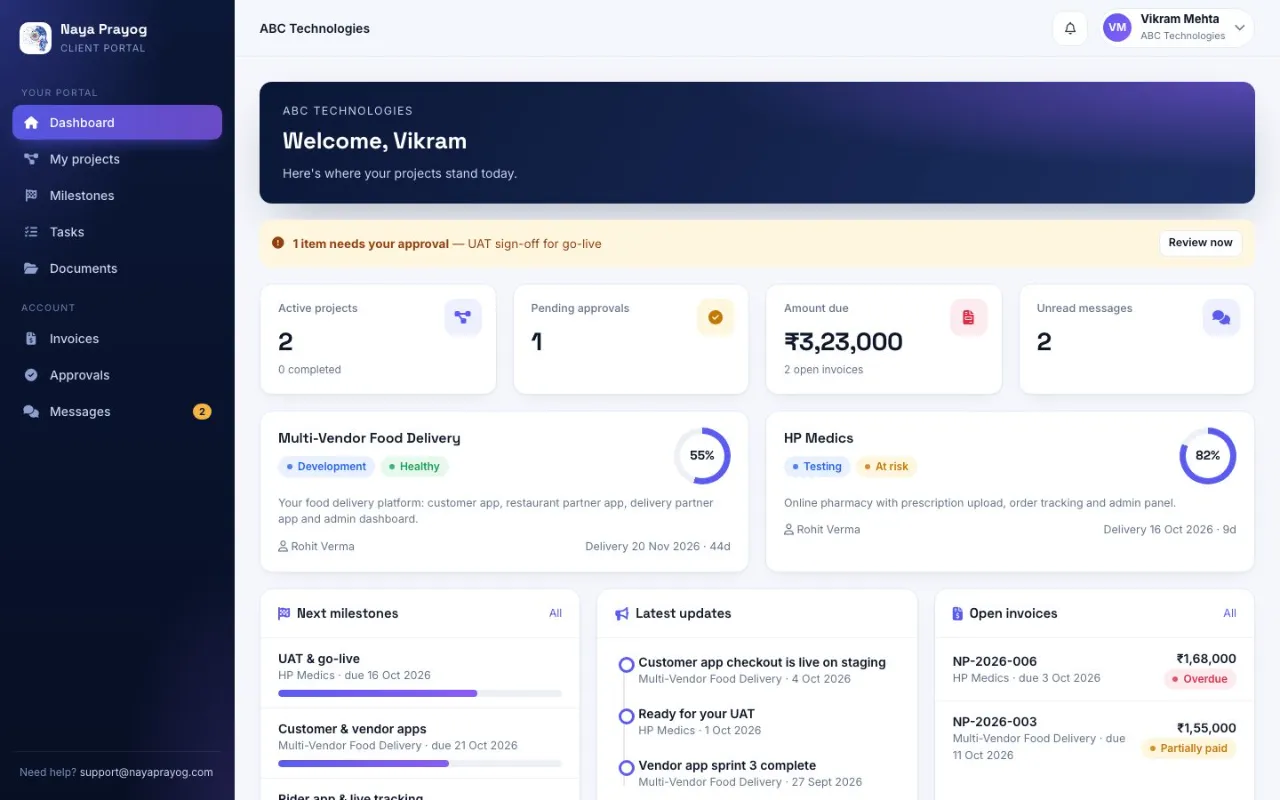
React app with a team workspace (dashboard, leads pipeline, projects, tickets, time logs, timesheets, invoices) and a separate client portal view. It refreshes automatically after a new version is deployed.
Backend
Express 5 API. Every query is pinned to the signed-in user's workspace, and a project you may not open returns the same 'not found' as one that doesn't exist, so ids can't be probed. A background job checks for overdue invoices every six hours.
Database design
PostgreSQL with migrations applied automatically and safely when the API starts. Approvals, the activity log and billing history are append-only.
Integrations
- Razorpay for monthly/yearly subscriptions and online invoice payments, with renewals and failed-payment handling
- SMTP email for invitations, password resets and notifications
- Private file storage with allow-listed types and permission-checked downloads
Infrastructure & deployment
Served under /crm on the same VPS as the other apps, with Apache proxying the API, PM2 managing the process, a database-aware health endpoint, and graceful restarts that let in-flight requests finish.
Challenges & solutions
Multi-tenant data isolation
ChallengeSubscriber companies and their clients must never see each other's data.
SolutionEvery query is pinned to the caller's workspace, client users are limited to their own company and client-visible items, and forbidden resources look identical to missing ones.
Who may see the money
ChallengeBudgets and invoices are sensitive even inside one company.
SolutionField-level rules on the server: everyone outside the allowed roles sees '—' instead of values.
Session security
ChallengeCookie sessions are convenient but open to CSRF.
SolutionhttpOnly, Secure, SameSite=Strict cookies plus a required custom header on every change request; role changes and deactivation sign the user out immediately.
Subscription lifecycle
ChallengeTrials end, cards fail, and people cancel mid-period.
SolutionA 3-day grace period for failed payments, cancel at period end, and a read-only mode that keeps data visible when a subscription lapses.
Features
- Leads pipeline with conversion to clients
- Projects, milestones, tickets and project roles
- Time logs, stand-ups, timesheets and team reports
- Invoices, part-payments, overdue alerts, online payment
- Client portal: progress, approvals, files, invoices, messages
- Plans, free trial, subscription billing, platform admin
- Audit log of every important action
Testing
Automated end-to-end API test suite covering permissions, workspace isolation, billing, invoices, approvals, tickets and daily work.
Screenshots
Lessons learned
- Make 'forbidden' and 'not found' indistinguishable to outsiders.
- Decide visibility per field, not per page, when roles overlap.
- Design the unhappy billing paths (failed, lapsed, cancelled) as carefully as checkout.